Self Service Password Reset
Step 1
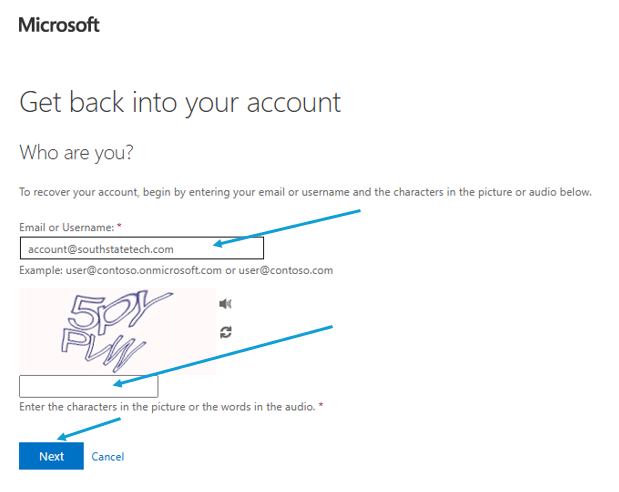
Go To - https://passwordreset.microsoftonline.com/
Enter your email and input the given CAPCHA.
Step 2
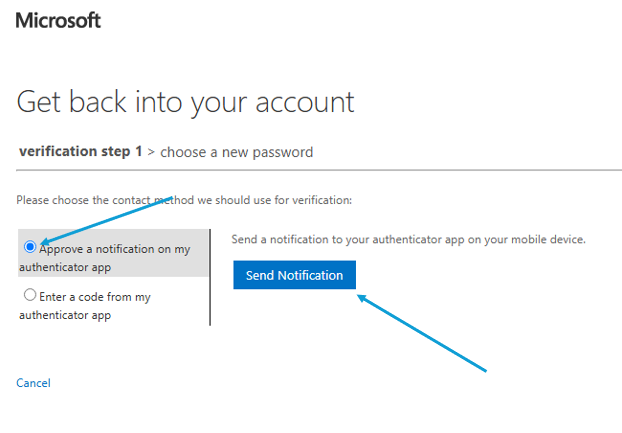
Approve via Authenticator app
OR
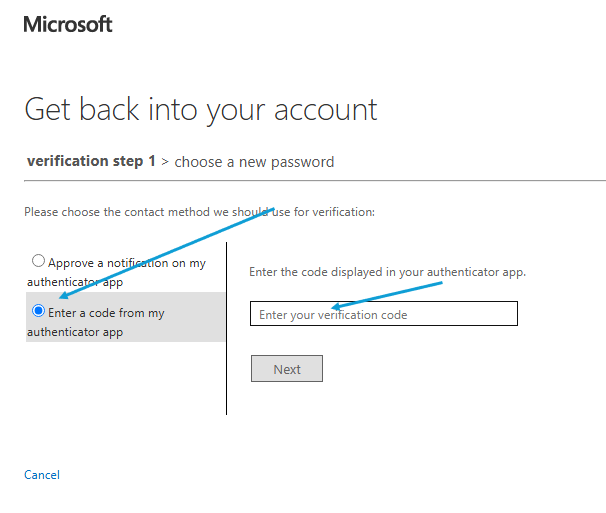
Enter the code from your Authentication app
Step 4
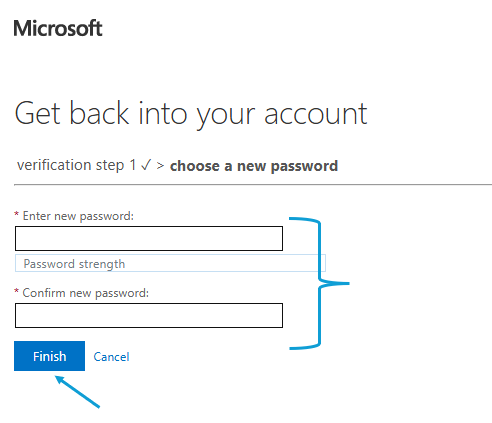
Choose your new password
Go To - https://passwordreset.microsoftonline.com/
Enter your email and input the given CAPCHA.
Approve via Authenticator app
OR
Enter the code from your Authentication app
Choose your new password